
How to Understand and Use Search Timeframes

The Search Timeframe setting is a powerful filter that tells your AI agent how far back in time it should look for information. Setting this correctly is crucial for getting relevant, timely results and avoiding old, outdated news.
How It Works
Think of the Search Timeframe as giving your research assistant a specific instruction: "Only show me results published within this period." When an alert runs, the AI first performs its web search and then filters out any sources (articles, web pages, etc.) that were published before your selected timeframe.
This ensures that you are only notified about recent events that fall within the window you care about.
Choosing the Right Timeframe
You can select the timeframe from a dropdown menu in the alert creation or editing form. Here’s a guide to the options:
Last 24 Hours: Best for highly time-sensitive monitoring where every hour counts.
Use Case: Tracking immediate reactions on social media, monitoring stock-related breaking news, or catching flash sales.
Last 7 Days: The most common and recommended default for news-related alerts. It aligns well with weekly news cycles.
Use Case: Finding new press releases, competitor announcements, or weekly industry news.
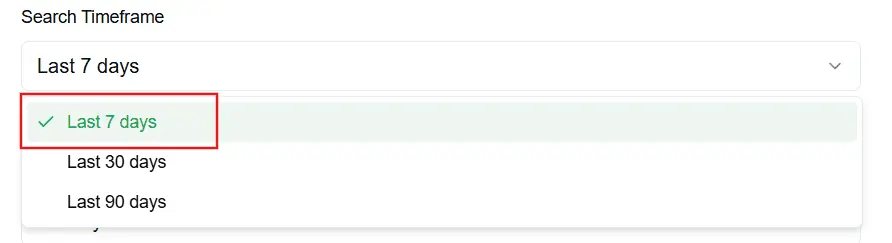
Last 30 Days: Good for tracking topics that develop over a few weeks.
Use Case: Monitoring for new product reviews, tracking mentions that may not be immediate, or following a developing story.
Last 90 Days: Useful for broader, less urgent research or for identifying trends over a fiscal quarter.
Use Case: Compiling a quarterly report on competitor activities or tracking market trends over a longer period.
All Time: Use this option with caution. It removes all time-based filters from the search.
Use Case: Finding foundational information about a company (like its founding date), performing historical research, or when you are certain the information you seek is not time-sensitive.
Warning: For most news and event-based alerts, "All Time" can lead to irrelevant notifications from old articles.
A Note on Precision
For the best results, always combine a well-chosen Search Timeframe with a specific and unambiguous Alert Condition.
For example, instead of a vague condition like "Acme Corp launched a new product", a more effective setup would be:
Condition: "Acme Corp has officially announced the launch of their new 'X-1' model"
Timeframe: Last 7 days
This combination ensures you only get notified about the specific, recent event you're interested in.